








Scalper vs. Incline Screen: How to Choose and Size a Mobile Screening Plant
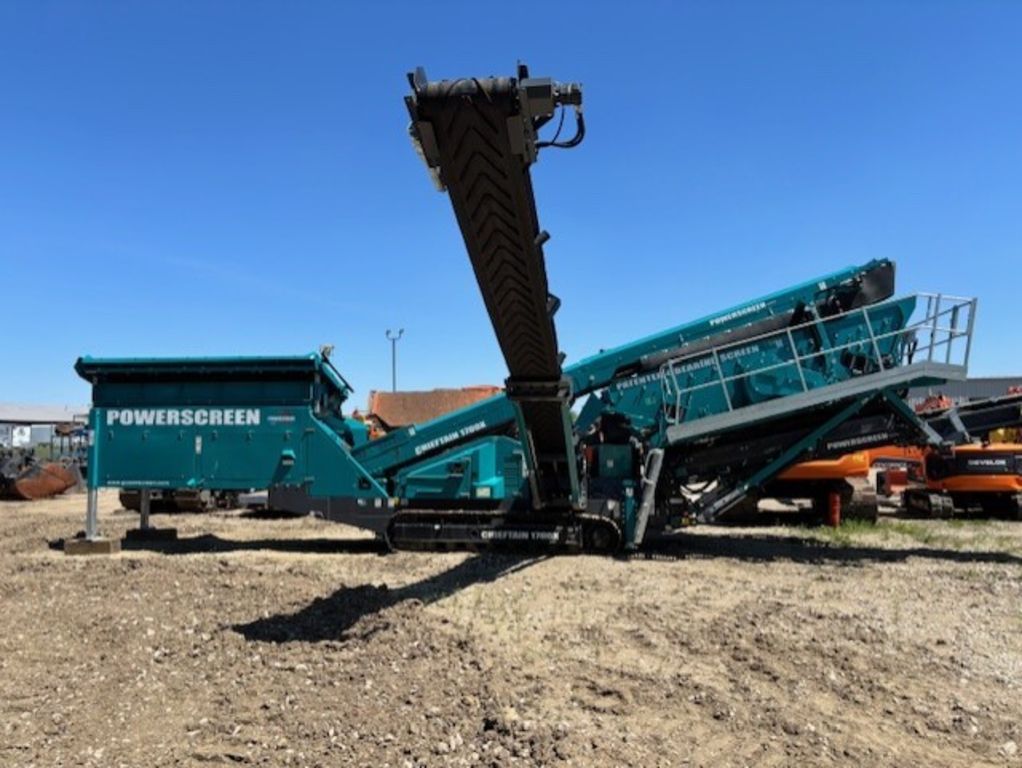
Most screening questions come down to one choice: a scalper or an inclined sizing screen. Pick the wrong one and you either beat up a machine built for clean material or miss the product spec your customer is paying for. RTL Equipment sells and supports Powerscreen mobile screens across Iowa, Minnesota and Nebraska, and this is how our aggregate team walks customers through the decision.
Key Takeaways
- A scalper separates unlike materials, such as dirt from rock. An inclined screen sizes similar materials into finished products.
- Scalping usually happens before crushing. Inclined screening usually happens after crushing, or on material like sand that doesn’t need crushing.
- The practical rule: if the challenge is handling the feed, start with a scalper. If the challenge is meeting the product spec, start with a sizing screen.
- Size the plant from four things: tons per hour needed, feed versus finished product size, the loader feeding it, and the crusher it follows.
The Short Answer
Scalper (Powerscreen Warrior)
Job: separate unlike materials.
Typical feed: shot rock with soil, demolition rubble, excavated material, variable feed.
Usually sits: before the crusher.
Start here if: the challenge is handling the feed.
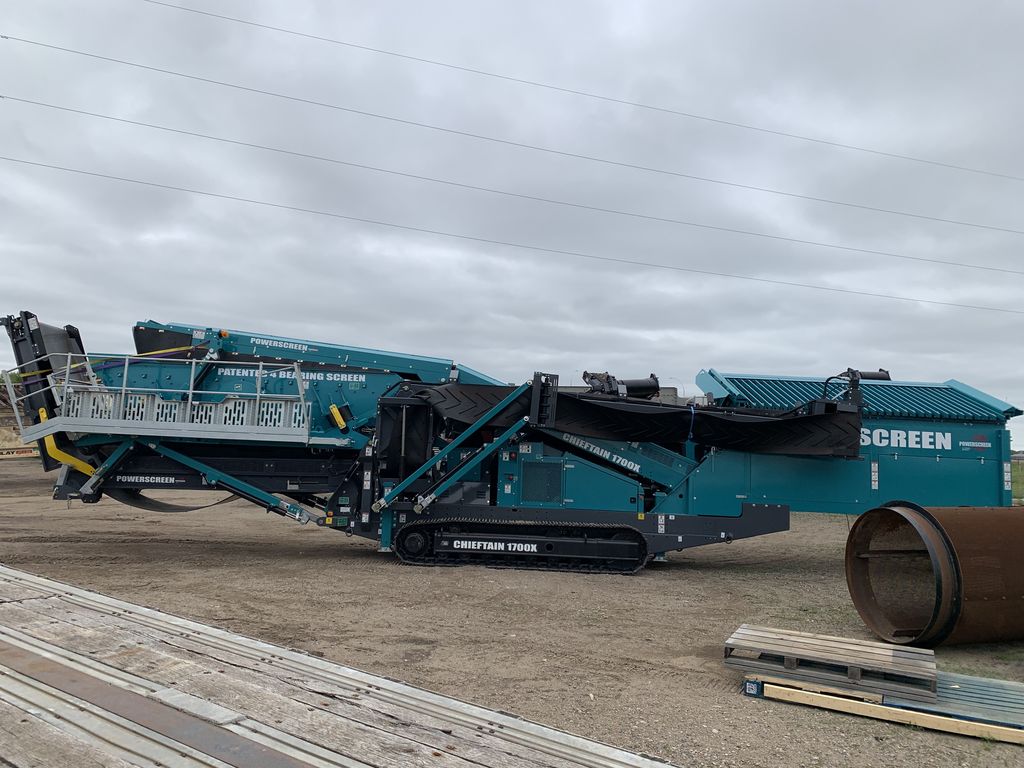
Inclined screen (Powerscreen Chieftain)
Job: size similar materials.
Typical feed: crushed stone, sand and gravel.
Usually sits: after the crusher, or on its own for sand and gravel.
Start here if: the challenge is meeting the product spec.
In our equipment range, think Powerscreen Warrior for scalping and Powerscreen Chieftain for inclined sizing. Powerscreen describes its Warrior range as “high capacity, heavy duty and versatile scalping machines” built for “the most difficult and demanding of applications.” It describes the Chieftain range as “primarily designed for the processing of aggregates and sand.”
When to Choose a Scalper
A scalper separates unlike products. The classic example is pulling dirt and fines out of rock. Scalping is usually done before any crushing, so only rock or concrete goes to the crusher and the dirt doesn’t.
Choose a scalper when you are:
- Stripping soil and fines out of shot rock before feeding a crusher.
- Processing mixed concrete, rubble or demolition material. Powerscreen rates the Warrior 1400X for “mixed demolition waste including greenwaste, soil, concrete, wood and asphalt.”
- Separating topsoil, rock and oversize from excavated material.
- Handling variable feed, where durability and keeping material moving matter more than a tight product spec.
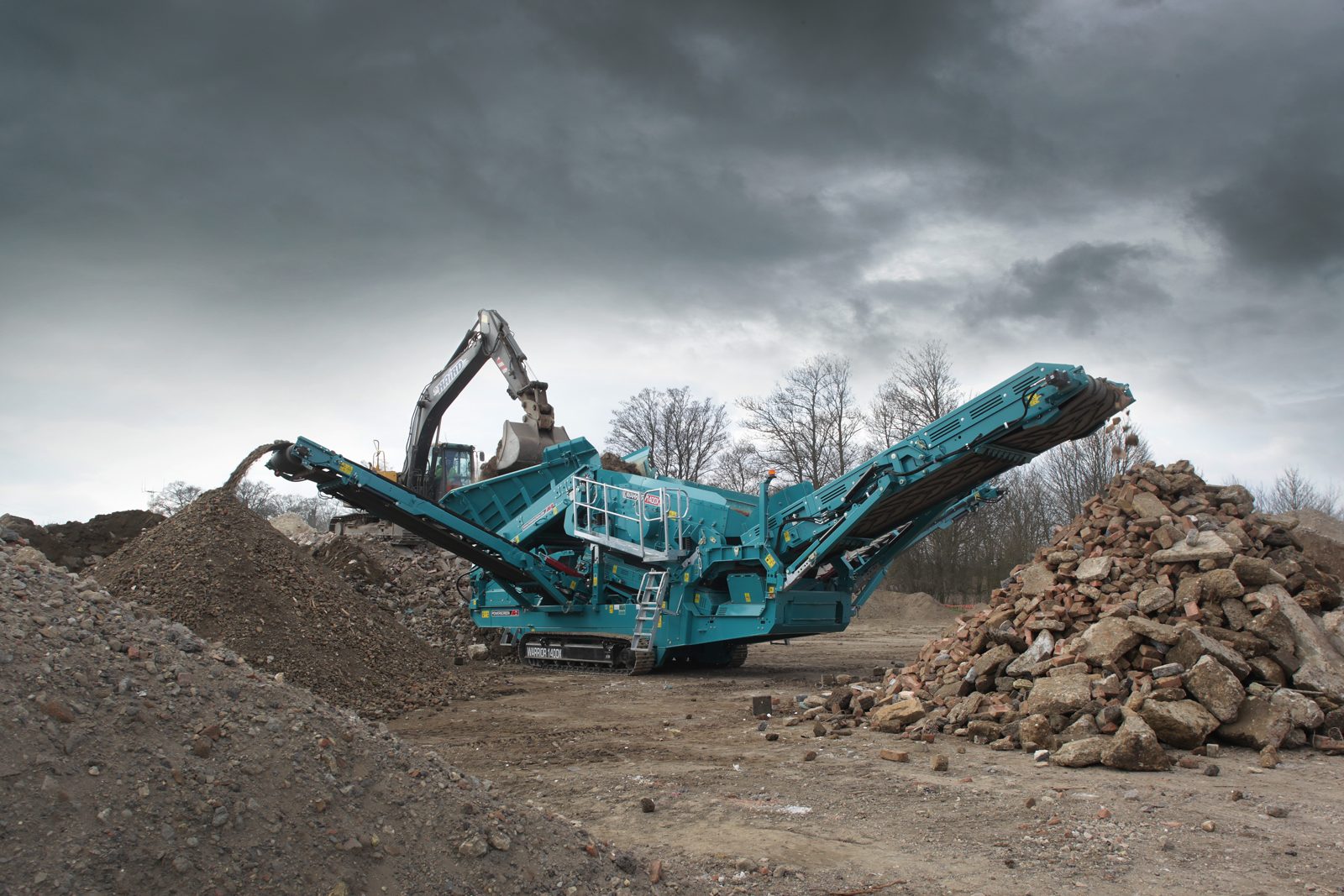
Scalpers are built heavy so they can take large, dirty, inconsistent feed. They aren’t limited to scalping, though. Powerscreen lists the Warrior 800 for “stockpiling, 3 way splitting or scalping before and after crushing units.”
When to Choose an Inclined Screen
An inclined screen, also called a sizing or finishing screen, sizes similar material. It is designed to split material that has already been crushed, or material like sand that doesn’t need crushing. If you have a pile of crushed rock or sand, an inclined screen sizes and stockpiles it to meet different spec requirements.
Choose an inclined screen when you are:
- Making specified products such as ¾-inch clean stone, chips and fines.
- Splitting crushed material into several consistent stockpiles.
- Screening clean sand and gravel, where product separation matters.
- Closing a crushing circuit, so oversize goes back to the crusher instead of into a product pile.
How They Work Together
On many jobs, the answer is both. The scalper cleans up the feed, the crusher reduces it, and the inclined screen turns it into products.
How to Size a Screening Plant
Every machine has a rated output, but real production depends on your material and your setup. Powerscreen publishes “output potential” figures, but the same machine can produce very different tonnage on different material. These are the factors we work through with customers.
1. Tons per hour you actually need
Start with how much material you need each hour or each day to supply your customers. Size to the volume you need to sell, not the biggest number on the spec sheet.
2. Feed material versus finished product
Smaller finished products need tighter openings in the screen media. Tighter openings take longer for material to pass through, which lowers overall tonnage. A screen that hits its rated output on 2-inch rock may fall well short on a fine sand split.
The material itself matters too. Weight per cubic yard, feed size and grading, clay content and moisture all change how a screen performs. Sticky, wet or clay-heavy material is harder to screen than clean, dry stone.
3. The machine feeding the screen
Look at the bucket size and cycle time of the loader or excavator feeding the plant, including the travel distance from the pile to the hopper. A bigger bucket and faster cycle need a bigger screen to keep up. If the screen is too small, it chokes. If it’s too big for the loader, it sits idle between bucket loads.
A quick check: tons per bucket multiplied by buckets per hour is roughly what the screen will see. A loader carrying 6 tons a bucket and making 60 trips an hour feeds about 360 tons an hour.
4. The crusher it follows
If the screen sits after a crusher, match the screen’s capacity to the crusher’s production. Remember that in a closed circuit, oversize comes back through the crusher and adds to the load.
Questions to answer before you get a quote
- How many products do you want to make?
- What sizes are they?
- What are they used for, such as base, drainage stone or concrete aggregate?
- Do they need to meet a specific spec, such as a state DOT gradation?
- How many tons per hour of each product do you need?
Powerscreen Warrior and Chieftain Output
These are Powerscreen’s published output potentials for the current ranges. Treat them as a ceiling under good conditions, not a guarantee for your material.
| Scalpers (Warrior) | Output potential (US tph) | Inclined screens (Chieftain) | Output potential (US tph) |
|---|---|---|---|
| Warrior 800 | 308 | Chieftain 1400 | 441 |
| Warrior 1200 | 330 | Chieftain 1700X | 551 |
| Warrior 1400X | 551 | Chieftain 2100X | 661 |
| Warrior 1800X | 689 | Chieftain 2200 | 715 |
| Warrior 2100 | 772 | ||
| Warrior 2400 | 881 |
Source: Powerscreen scalping screen and incline screen range pages, retrieved October 2026. Actual output depends on material, feed, screen media and setup.
A few details from Powerscreen’s spec pages help with sizing. The Warrior 1400X has a 2-deck, 11 ft 10 in by 4 ft 6 in screenbox and a 10.7 cubic yard hopper. The Warrior 1800X steps up to a 16 ft by 5 ft 1 in screenbox. On the inclined side, the Chieftain 1400 uses an 11 ft by 5 ft screenbox. The Chieftain 2200 runs two double-deck screenboxes for 19.5 square meters of total screening area.
Common Sizing Mistakes
- Sending dirt to the crusher. Without scalping first, soil and fines take up crusher capacity and add wear for no product value.
- Buying an inclined screen for dirty, variable feed. If the material is mixed demolition waste or shot rock full of soil, a scalper is the right first machine.
- Sizing to the spec sheet instead of the product. Fine products on tight media cut throughput, so a plant sized on rated output can come up short.
- Ignoring the loader. A mismatched loader leaves either the screen or the operator waiting.
- Not matching the crusher. A screen after a crusher needs to keep up with the crusher’s production plus any recirculated oversize.
Frequently Asked Questions
What is the difference between a scalper and an inclined screen?
A scalper separates unlike materials, such as soil from rock, and handles heavy, dirty, variable feed. An inclined screen sizes similar materials, such as crushed stone or sand, into finished products that meet a spec.
Do I need a scalper before a crusher?
If your feed has a lot of soil, fines or mixed debris, yes. Scalping first keeps that material out of the crusher, so the crusher only works on rock or concrete.
Can a scalper make a finished product?
Some can. Powerscreen lists the Warrior 800 for stockpiling and 3-way splitting as well as scalping. If you need tight, consistent product specs, an inclined screen is the better tool.
How do I size a mobile screening plant?
Start with the tons per hour you need, then account for your feed versus finished product size, the loader feeding the plant and the crusher it follows. Smaller products need tighter screen openings, which lowers tonnage.
Which Powerscreen screens are scalpers and which are inclined screens?
The Powerscreen Warrior range is scalpers. The Powerscreen Chieftain range is inclined screens built mainly for aggregates and sand.
Talk to RTL’s Aggregate Team
Tell us your feed, your products and your tons per hour, and we’ll help you pick and size the right screen. Not ready to buy? We also rent screeners, so you can run one on your own material first. See our aggregate equipment inventory, ask about rentals, request a quote or call the branch nearest you.
- Cedar Rapids area (Swisher, IA)
319.391.5471 - Des Moines area (Grimes, IA)
515.986.0262 - Big Lake, MN
763.220.6528 - Omaha area (Crescent, IA)
402.534.1234
Sources
- Powerscreen, Screening products (Warrior and Chieftain range descriptions).
- Powerscreen, Scalping screens (output potential).
- Powerscreen, Incline screens (output potential).
- Powerscreen, Warrior 800, Warrior 1400X and Warrior 1800X product pages.
- Powerscreen, Chieftain 1400 and Chieftain 2200 product pages.
- RTL Equipment aggregate sales team, customer application experience.
Output figures are Powerscreen’s published output potentials and are not a guarantee for any specific material or site. Contact RTL for an application-specific recommendation.